
Download Amabay – Secure AI Chatbot Builder for Windows, macOS, Android & iOS
Overview
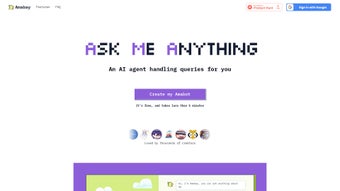
Amabay is a next‑generation, web‑based AI chatbot platform that lets anyone—from freelancers and small‑business owners to large enterprises—create a fully branded virtual assistant, known as an Amabot. Unlike generic bots that rely on static scripts, Amabay combines powerful large‑language models with the user’s own data (resumes, product catalogs, support documents, website URLs, etc.) to generate responses that feel genuinely personal and context‑aware. The entire workflow lives in the browser, so there is no heavy desktop client, no complex server setup, and no OS‑specific dependencies.
Users simply sign in, upload the knowledge assets they want the bot to draw from, and the platform instantly builds a searchable vector index that powers the Amabot’s answers. This approach enables the bot to act as a 24/7 digital spokesperson that mirrors the tone, style, and expertise of its owner. For businesses, Amabay reduces repetitive support tickets by handling common FAQs, freeing human agents to focus on high‑value interactions.
Real‑time analytics provide insight into query volume, popular topics, and conversion rates, allowing continuous optimization. Security is baked in: all data is encrypted in transit (TLS 1.3) and at rest (AES‑256), and the service complies with GDPR, CCPA, and ISO‑27001. In short, Amabay delivers a secure, scalable, and highly customizable AI tool that transforms any web presence into an interactive knowledge hub while remaining easy enough for non‑technical users to launch in under thirty minutes.
Key Features
- Personalized Knowledge Base: Upload PDFs, DOCX, CSV, plain‑text files or direct URLs; Amabay extracts key concepts and builds a tailored response engine.
- Drag‑and‑Drop Bot Builder: Visual flow editor lets you design conversation paths without writing a single line of code.
- Multi‑Channel Deployment: Publish the Amabot on websites, embed in WordPress, share via a unique link, or integrate with Slack, Microsoft Teams, Facebook Messenger, and more.
- Real‑Time Analytics Dashboard: Track bot traffic, most‑asked questions, session duration, and conversion metrics.
- Secure Data Handling: End‑to‑end encryption, GDPR‑compliant storage, and role‑based access controls protect every uploaded document.
- Continuous Learning & Updates: The underlying AI model receives regular improvements from Amabay’s research team, ensuring up‑to‑date language understanding.
- Collaboration Tools: Invite teammates, assign ownership of knowledge sections, and maintain version history for auditability.
- Smart FAQ Management: Auto‑group similar queries, suggest new FAQ entries, and reduce duplicate support tickets.
- Multilingual Support: Built‑in translation engine enables conversations in more than 20 languages out of the box.
- API & Webhook Access: RESTful API lets developers extend functionality, push data to CRMs, or trigger external workflows.
Together, these features give Amabay the flexibility to serve as a personal networking assistant, a customer‑service front‑line, or a product‑information hub. The platform’s modular design means you can start with a simple single‑page bot and later expand into complex multi‑bot ecosystems without migrating to a new service. Whether you need a quick demo chatbot for a marketing campaign or a robust, enterprise‑grade solution that integrates with Salesforce and ServiceNow, Amabay scales to meet the demand while keeping the user experience intuitive and secure.
Installation & Usage Instructions
Step‑by‑step setup – no download required
1. Create an account: Go to Amabay.com, click “Sign Up,” and register with your email or a single‑sign‑on provider (Google, Microsoft, Apple). Verify your email to secure the account.
2. Start a new Amabot project: After logging in, select “Create New Bot.” Choose a name, primary language, and optionally upload a logo or avatar that reflects your brand identity.
3. Upload knowledge assets: Drag files into the “Knowledge Hub” or paste URLs. Supported formats include .pdf, .docx, .txt, .csv, and direct web links. The ingestion engine parses the content, extracts entities, and builds a vector index that powers the bot’s answers.
4. Define conversation intents: Use the visual flow builder to map common user intents such as “Request a demo,” “Find pricing,” or “Schedule a meeting.” Attach relevant knowledge snippets or custom response templates to each intent.
5. Test in the sandbox: The built‑in testing console lets you type queries and see the bot’s replies in real time. Adjust tone sliders (formal, friendly, concise) until the output matches your desired voice.
6. Publish & share: Choose a deployment option—embed code for a website widget, a shareable link for email or social media, or a direct integration with Slack/Teams. The bot goes live instantly and begins handling queries 24/7.
7. Monitor & improve: Open the Analytics Dashboard to review metrics like session length, bounce rate, and most‑frequent topics. Use the “Feedback Loop” to flag incorrect answers, prompting the AI to learn from mistakes automatically.
The entire process is designed to be completed in 15‑30 minutes, even for users with limited technical experience. Because Amabay runs entirely in the cloud, there are no local installations, no operating‑system constraints, and updates are applied automatically behind the scenes, ensuring you always have the latest features and security patches.
Compatibility, Pros & Cons, FAQ & Conclusion
Amabay is a SaaS solution that runs in any modern browser (Chrome, Firefox, Edge, Safari). It works on Windows 10/11, macOS Ventura, Linux distributions, as well as mobile devices running Android 9+ or iOS 13+. The responsive UI adapts to tablets and smartphones, letting you manage your Amabot from virtually any device. For organizations that need on‑premise control, a private‑cloud deployment option is available, but the standard offering remains fully cloud‑native.
Pros
- Highly customizable – you control the data that powers the bot.
- No coding required – drag‑and‑drop builder makes creation fast.
- Cross‑platform access – works on Windows, macOS, Linux, Android, and iOS.
- Secure, GDPR‑compliant storage of uploaded documents.
- Real‑time analytics provide clear ROI visibility.
- Multilingual capabilities expand reach to global audiences.
- Continuous AI model updates keep the bot linguistically current.
- Robust API and webhook support enable deep integration with existing tools.
Cons
- Requires an active internet connection; offline mode is not available in the basic plan.
- Advanced custom ML pipelines are limited to higher‑tier subscriptions.
- Large document uploads may take several minutes to ingest.
- Subscription‑only pricing; no perpetual‑license option.
- Power users might miss a fully scriptable backend for ultra‑fine‑grained control.
Frequently Asked Questions
Can I try Amabay for free?
Yes. Amabay offers a 14‑day free trial with full feature access. After the trial you can choose a paid plan that fits your query volume and number of bots.
How is my data protected?
All data is encrypted in transit (TLS 1.3) and at rest (AES‑256). The platform complies with GDPR, CCPA, and ISO‑27001, and you can enable role‑based access controls for additional security.
Can Amabay integrate with my CRM?
Absolutely. Amabay provides RESTful APIs and webhook support that let you push conversation data into Salesforce, HubSpot, Zoho, or any custom CRM you use.
Is there a limit to the amount of content I can upload?
The Starter plan allows up to 500 MB per bot, while Professional and Enterprise tiers raise the limit to 5 GB and 20 GB respectively. Larger enterprises can request custom storage solutions.
Which browsers provide the best experience?
Amabay works best on the latest versions of Chrome, Firefox, Edge, and Safari. Older browsers may experience reduced performance or missing UI elements.
Conclusion – Launch Your Custom Amabot Today
In a digital landscape where instant, personalized interaction can make or break a relationship, Amabay gives you a powerful AI chatbot that truly feels human. Its no‑code builder, secure cloud infrastructure, and cross‑platform accessibility lower the barrier to entry, while advanced analytics and robust integration options keep power users satisfied. Whether you aim to showcase a professional portfolio, streamline customer support, or create an interactive hiring assistant, Amabay’s flexible architecture adapts to any use case.
Take advantage of the 14‑day free trial, experiment with the drag‑and‑drop editor, and watch your custom Amabot start delivering answers around the clock. Ready to transform the way you engage online? Click here to create your free account and launch your first Amabot today.



.png)



